Style explorer
Explore visual directions before you commit to one
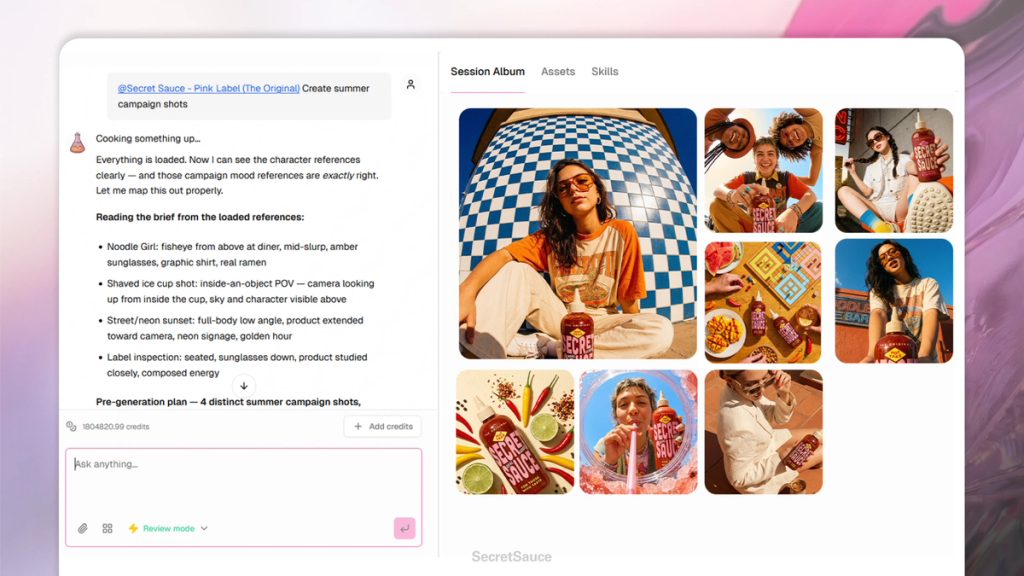
Style Explorer is for when you know what you want to create but aren't sure how it should look.
Instead of committing to a full set of assets in one direction, you get a range of visual concepts to choose from first.
It's the fastest way to find a creative direction - and avoid spending time generating assets in a style that isn't working.
When to use it
Use Style Explorer at the start of a new campaign, season, or project when you're still figuring out the look and feel. It's also useful when you want to show a client or team a few directions before deciding which one to pursue.
If you already know exactly what you want, go straight to Product Shots or Model and Lifestyle Shots instead.
How it works
Tag a product and drop in a few style keywords - a mood, a season, a setting, a reference. SecretSauce generates a handful of visual concepts based on what you described. From there you pick the direction you want to go deeper on.
Examples:
- "@[product] in a minimal, editorial style"
- "@[product] shot outdoors, golden hour, warm tones"
- "@[product] dark and moody, studio lighting"
- "@[product] in a summer market setting, bright and airy"
- "@[product] maximalist, bold colors, high contrast"
Going deeper on a direction
Once you've found a direction you like, take it to Product Shots or Model and Lifestyle Shots to generate a full set of assets in that style. You can reference the Style Explorer output directly in your next message.
- "I like the third concept -- create a full set of product shots in that style"
- "Take this direction and generate 5 variations for Instagram"
- "Use this mood for a hero image for my website"