Lifestyle photography
Put your products on real-looking people in real-looking places
Generate imagery that looks like it came from a professional lifestyle shoot without booking one.
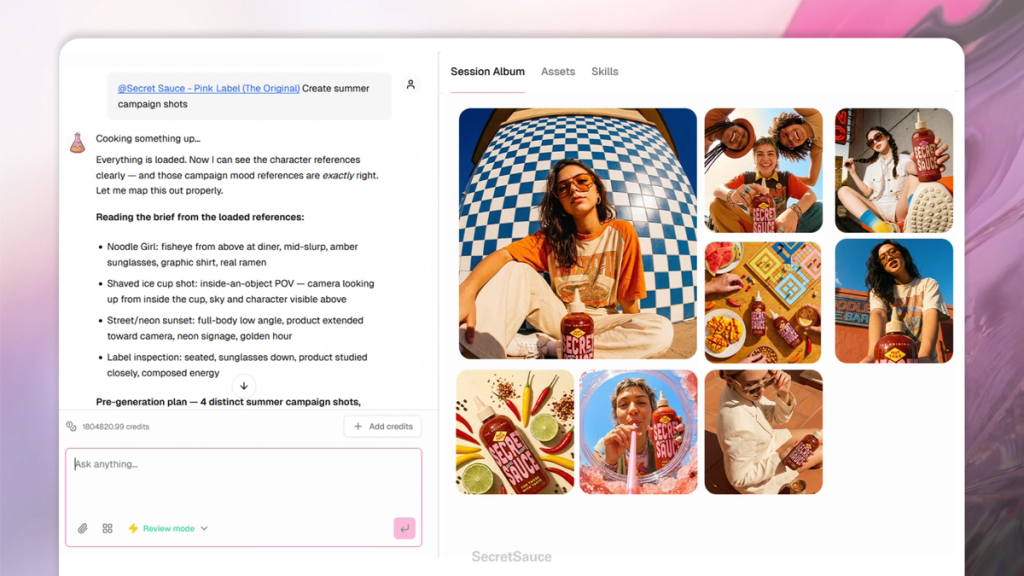
Tag an avatar and a product, describe the scene, and SecretSauce places your product in a real-looking environment with a real-looking person.
Before you start
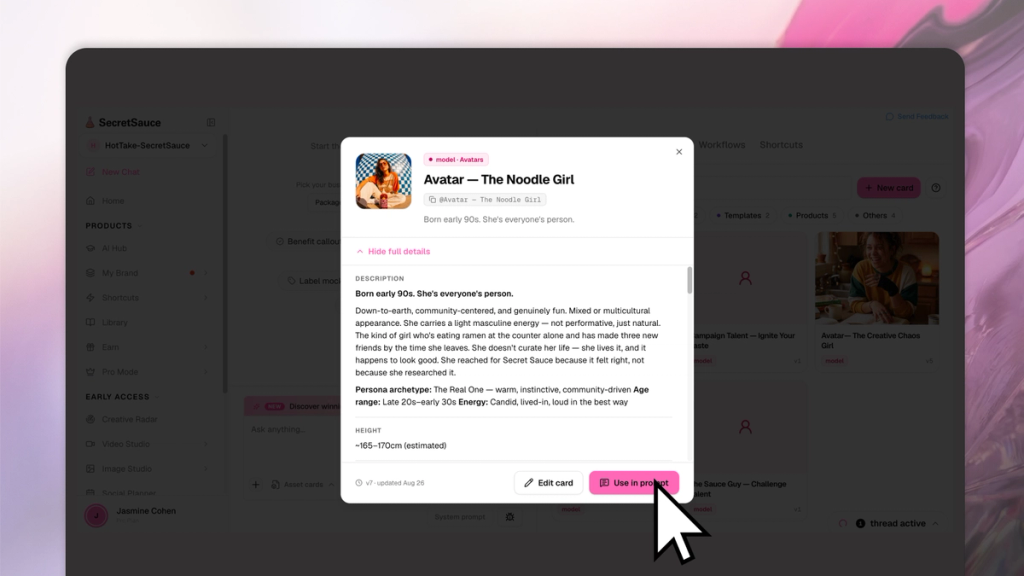
You'll need at least one avatar before you can use this feature. If you haven't built one yet, head to My Brand > Create Avatars first. It takes a few minutes and makes everything in this feature significantly more accurate and personal.
Once your avatar is ready, tag it with @ alongside your product in any message.
What to ask for
Describe the scene you want: who's in it, where they are, what they're doing, and the mood or aesthetic. The more specific you are about the setting and context, the more the output will match what you have in mind.
Examples
- "@[avatar] holding @[product] in a busy coffee shop, candid style"
- "@[avatar] wearing @[product] on a city street, natural light"
- "@[avatar] sitting at a desk using @[product], clean home office setting"
- "@[avatar] outdoors at a market holding @[product], bright and airy"
- "@[avatar] in a gym setting with @[product], high energy, editorial"
Swapping avatars
One of the most useful things you can do is swap avatars in and out while keeping everything else the same - the product, the setting, the composition, the mood.
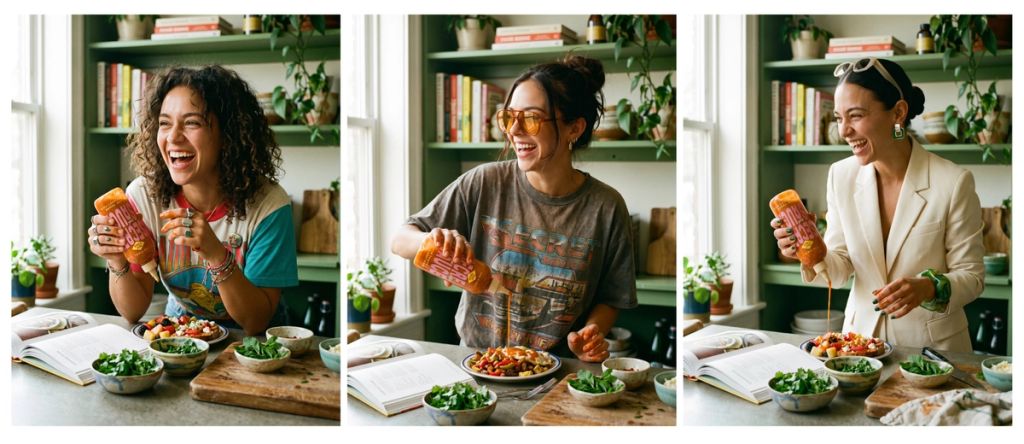
This lets you create the same shot with different people without rebuilding it from scratch every time.
- "Same shot but swap @[avatar] for @[different avatar]"
- "Keep the background and composition, put @[different avatar] in instead"
- "Generate this same scene with three different avatars"
This is especially useful for brands that sell to different audiences or want to show diversity across their creative without running multiple shoots.
Getting more from a scene
Once you've landed on a scene you like, you can generate multiple variations without starting over.
- "Generate 5 more variations of this scene"
- "Same setting but change the time of day to golden hour"
- "Keep @[avatar] and the background, swap in @[different product]"
- "Reframe this as a vertical for stories"