Video Studio
The fastest way to make an on-brand video
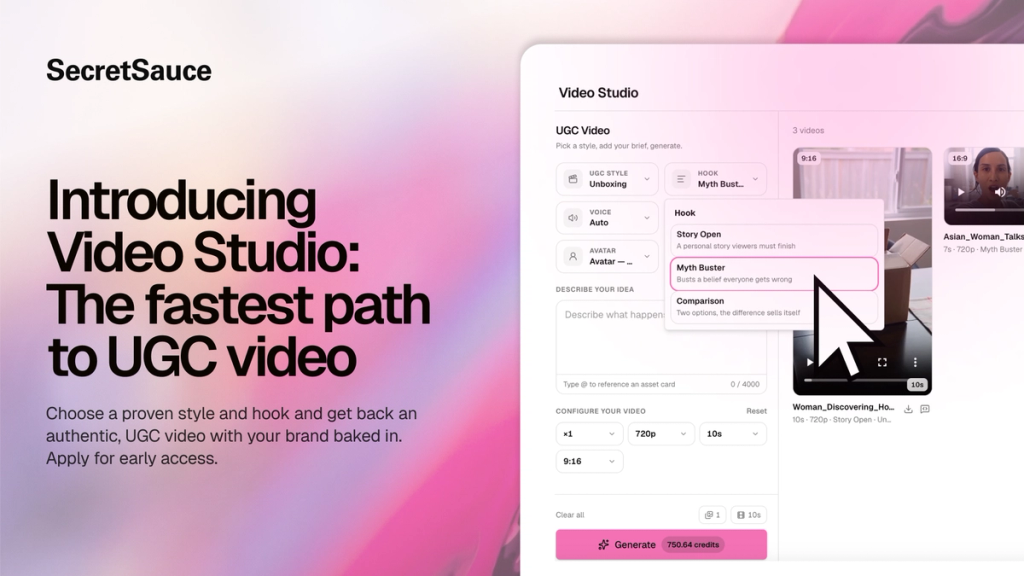
Video Studio is the fastest way to make an on-brand video in SecretSauce. Instead of describing everything in the AI chat, and hoping the output matches what you had in your head, you choose from a library of proven video formats and presets upfront.
Every video is generated through your Brand Brain, so your product, visual identity, tone, and audience context are already loaded. You get a video that looks like your brand made it, not like you picked a generic template.
Plus, you can see how many credits a video will cost you before you generate.
How to use Video Studio
You make three creative choices, set a few parameters, and generate. Your Brand Brain is already loaded, so your brand voice and visual identity come through automatically.
- Tap Video Studio in the left menu.
- Choose a UGC style. Styles are proven UGC formats that perform on social media. Some styles include: Testimonial, Review, Unboxing, Try On, Tutorial, Product Demo.
- Choose a hook. Hooks are the opening moments that determine whether someone keeps watching. Each hook in Video Studio is based on a format that has been tested and proven to stop the scroll. Some hooks include: slow reveal, chaos to calm, absurd prop, contrast cut, and more.
- Choose a product. You can select one or more products depending on the video style.
- Choose an avatar. If you don't have an avatar set up, SecretSauce can autogenerate one for you.
- Choose a voice for your avatar. You can choose one of your existing voice clones, or let SecretSauce generate a voice for you.
- Optionally add a brief in the text field to guide the direction if you have a certain vision in mind.
- Set your video parameters: resolution, duration (up to 10s), and aspect ratio (9:16 or 16:9).
- Hit Generate.
Tips for using Video Studio
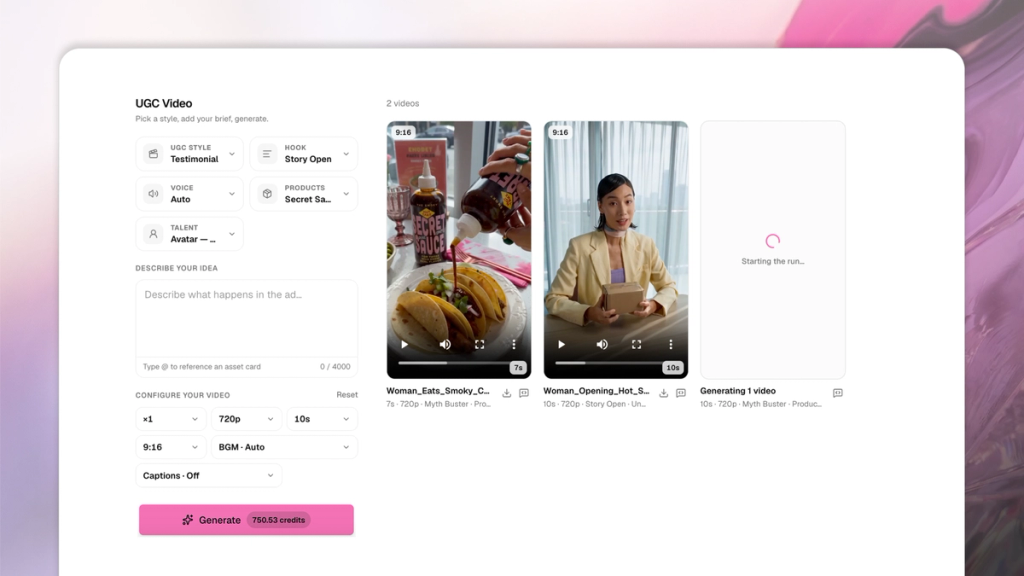
- Test the same product across multiple hooks and styles to find what performs best with your audience.
- Though it’s optional, give SecretSauce a quick brief to better guide the AI towards your vision
- 9:16 is best for Reels and TikTok. 16:9 works for YouTube and LinkedIn.