Have a few product shots ready. Upload them, or @mention your saved product asset card if you've got one in SecretSauce. Phone pics are fine, and a couple of angles per piece help. Bring any brand details, like your colors and the mood you're going for.
How it works
1
Rescue your raw photos
Run /photoCleanup on each photo to even out the lighting, clear creases, and lint from the fabric, correct the color so pieces read true on screen, and straighten crooked angles.
2
Build the product-page set
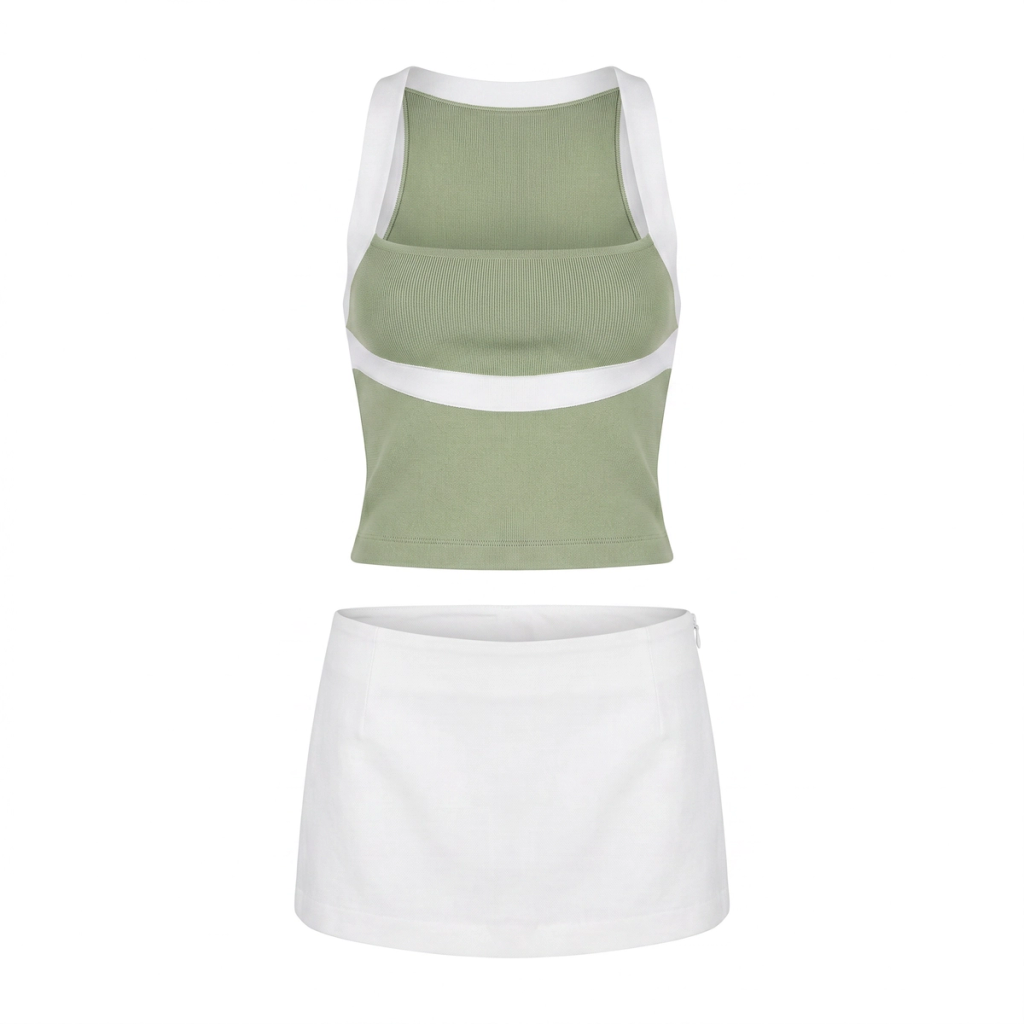
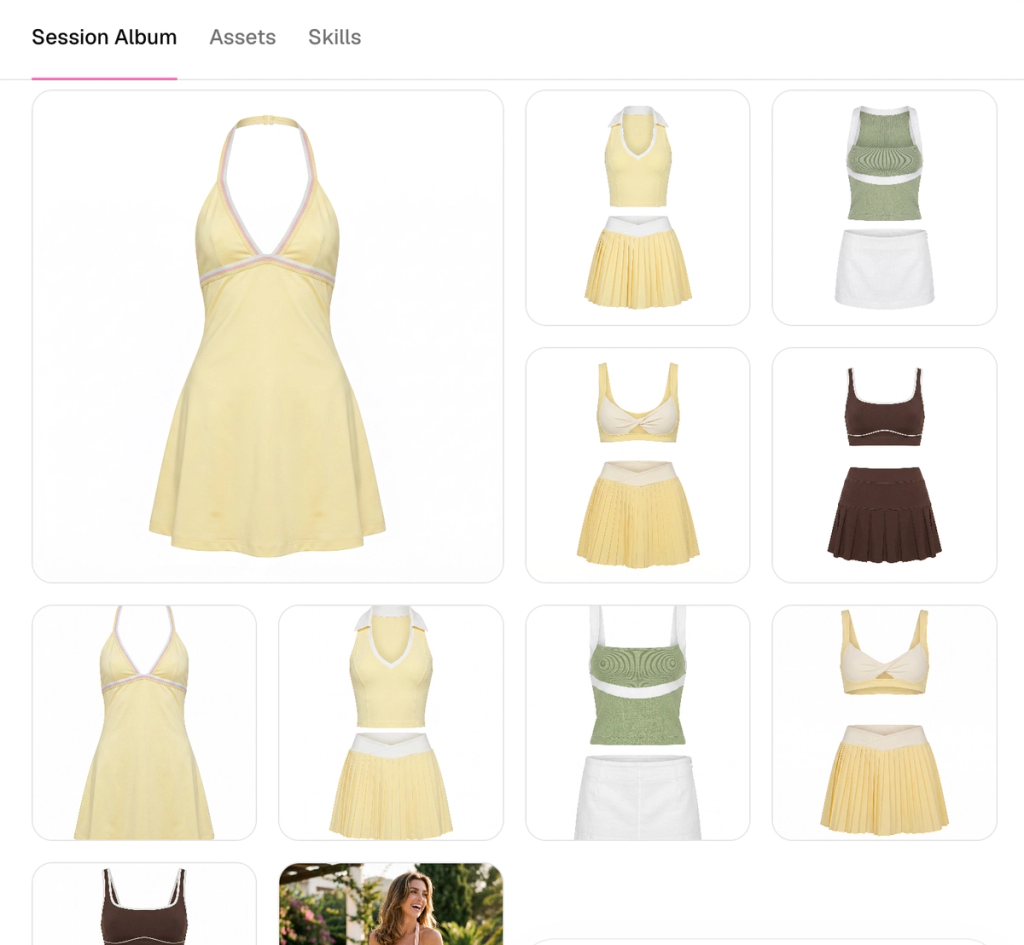
Use /productPhotoshoot to generate clean white-background shots from the front and back for every piece, plus overhead flat lays for accessories and separates.
3
Style the pieces on a model
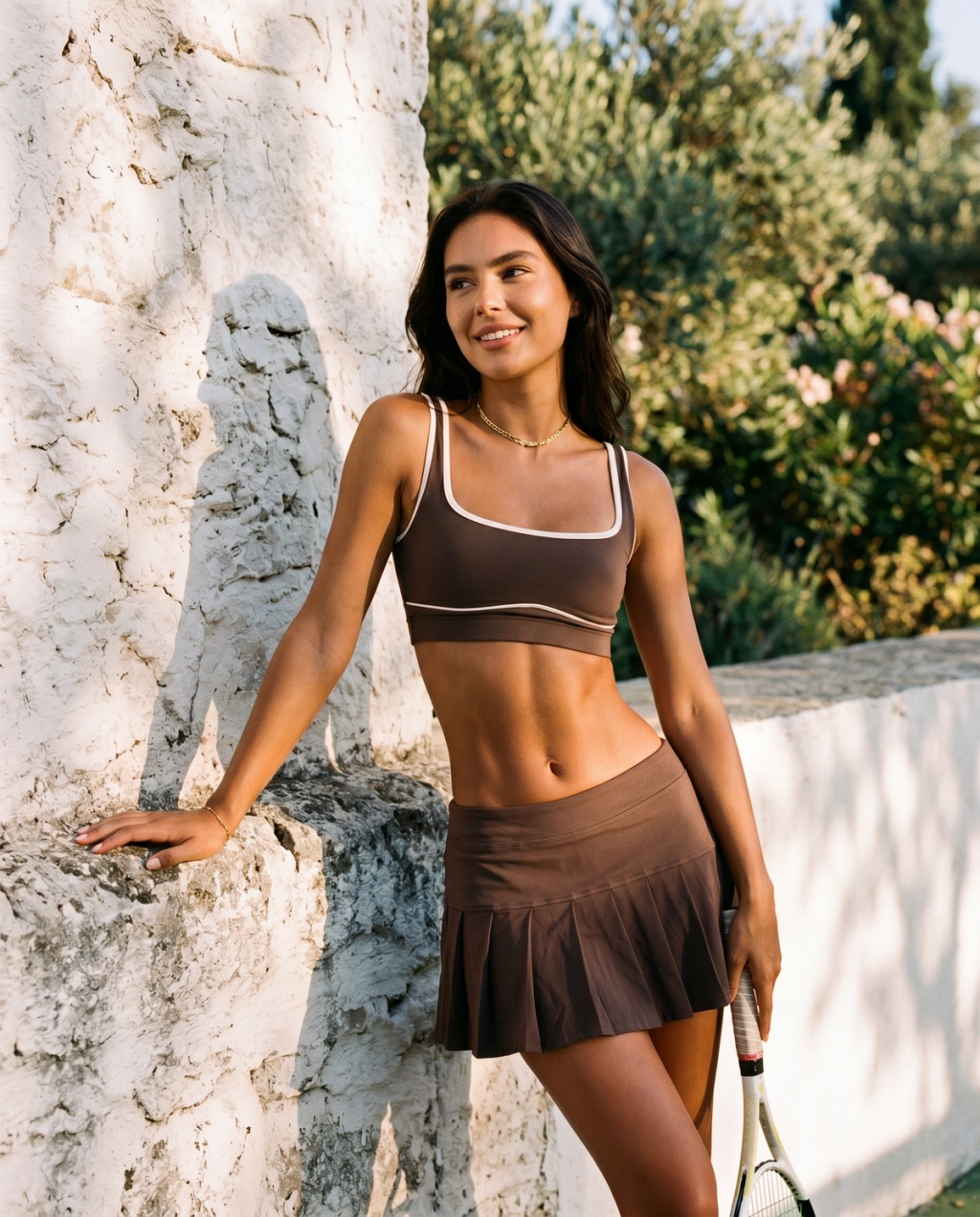
Place each garment on a model in a realistic scene, like a sunlit terrace at golden hour or a marble surface, so it looks like something someone wants to wear.
4
Generate the hero banner
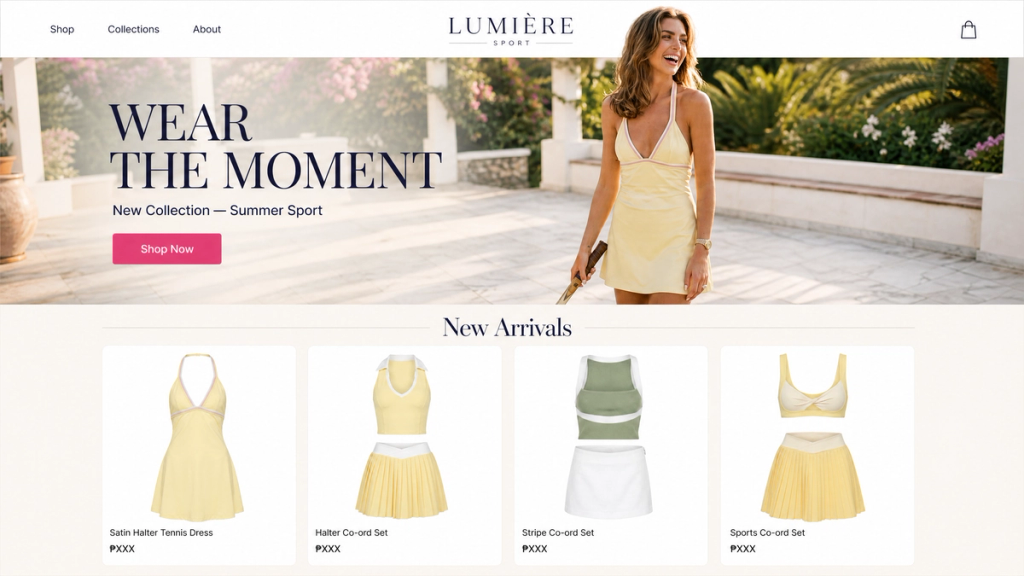
Create one wide, editorial image of your hero piece or new drop for the homepage or collection header, generated at 16:9 for a full-width banner.
Export every shot at the ratio each platform needs: 1:1 or 4:5 for Shopify product pages, 4:5 or 1:1 for the Instagram feed, and 16:9 for your ad placements.
Your product photography is the closest a customer gets to touching your clothes before they buy. For a fashion brand selling online, the photos are the storefront, the fitting room, and the sales associate rolled into one set of images. And it decides whether a browser trusts you enough to check out.
Now, the studio-quality look that used to take a photographer, a model, and a rented space now comes from the shots already on your phone.
Why product photography sells fashion online
Product photography sells fashion online because your customer can't touch the fabric, try the fit, or feel the weight of a piece before they commit. Customers judge happens through the image. A crisp, well-lit, true-to-color photo answers the questions a shopper would otherwise ask in a fitting room, and it does it in the half-second before they scroll away.
The brands that convert well share a few habits:
Consistency: Their product images look like one set across the whole site, with the same lighting, framing, and treatment.
Multiple angles: They show each piece front, back, and in detail, so the fit holds no surprises.
A mix of contexts: Clean white-background shots carry the product pages while lifestyle images carry the campaigns and social.
A cohesive brand: Every image looks like it belongs to the same label, which is what makes a small brand read as an established one.
4 photo formats your fashion brand needs
Great fashion product photography is a handful of shot types, each doing a specific job. Knowing what you're building toward makes the whole shoot faster.
White-background product shots: Clean and crisp with the focus entirely on the garment, these shots live on your product pages. Every piece needs at least a front and a back.
Lifestyle shots: Your piece on a real person in a real place, like a matching set on a terrace at golden hour or a dress styled on a city street. These are your hero images and your social content.
Hero banner image: One wider, editorial frame built for a homepage or collection header that captures the mood of a drop.
Flat lays: Styled overhead shots that suit accessories and separates and read beautifully in the Instagram feed and email headers.
10 fashion photo ideas for your shop and feed
The strongest fashion sets go past the basic white-background shot and give shoppers several ways to picture a piece. Here are 10 shot ideas worth building into your set, each with a reason it works and an example to copy and adapt.
1. Front-and-back product page shot: The non-negotiable base. A clean, evenly lit front and back on white so a shopper sees exactly what's arriving.
Example: A knit sweater shot straight-on, then turned to show the back seam and hem.
2. Three-quarter angle: Adds depth a flat front shot misses and shows how a piece falls on the body.
Example: A blazer at 45 degrees so the lapel, sleeve, and side seam all read at once.
3. Fabric and detail macro: Close-ups sell quality and cut return rates by setting the right expectation.
Example: A tight crop on the weave of a linen shirt, the topstitching on a hem, or the finish on a button.
4. Flat lay for accessories and separates: An overhead styled shot that groups a look and suits scarves, jewelry, and small goods.
Example: A silk scarf folded beside sunglasses and a card wallet on a warm neutral surface.
5. On-model full-length: Shows real proportions and fit, the single thing shoppers most want to judge.
Example: A midi dress on a model head to toe against a soft studio backdrop.
6. On-model editorial in a location: Puts the piece in a world your customer wants to step into and doubles as campaign and social content.
Example: A trench coat on a rain-slicked street, hands in pockets, mid-stride.
7. Golden-hour lifestyle: Warm, low light flatters fabric and skin and reads as aspirational without much styling.
Example: A yellow tennis dress on a terrace at golden hour, drink in hand.
8. Surface still life: The piece styled on a striking surface when a model isn't the right call, great for accessories and homeware-adjacent lines.
Example: A co-ord set laid on marble with a sprig of greenery for scale and color.
9. Homepage hero banner: One wide, moody frame that sets the tone for a whole collection the moment someone lands.
Example: A new drop shot in a single strong location, framed with space for a headline and a shop button.
10. Seasonal campaign cover: A themed hero you refresh each drop to keep the site feeling current.
Example: A summer capsule shot poolside, or a winter edit against warm indoor light.
How to shoot your full fashion set with SecretSauce
Here's how to turn your raw phone shots into the full set in one session. Each step maps to a SecretSauce skill, run in order.
Rescue the raw shots: /photoCleanup evens the lighting, clears creases and lint, corrects the color so fabric reads true, and straightens angles, so everything you generate afterward starts from a clean base. The Photo Cleanup doc covers what it fixes.
Generate the product-page set: /productPhotoshoot builds your white-background, multi-angle shots and your overhead flat lays in one pass. See the range on the product shots doc.
Style pieces on a model: Place each garment on a model in a real scene for your lifestyle and campaign images, choosing the location and mood that fit the drop.
Set the hero banner: Generate one wide editorial frame at 16:9 for the homepage or collection header.
Size for each placement: Export every shot at the ratio its home needs, 1:1 or 4:5 for Shopify, 4:5 or 1:1 for the feed, and wide for the banner.
Why this beats a photography shoot
Using AI collapses a photographer, a model, and a rented space into one session that starts from photos you already have.
A traditional fashion shoot for a single drop often runs into $1000s and takes weeks to book, shoot, and retouch. Building the same set in SecretSauce takes a fraction of the time and gives you the white-background shots, the on-model lifestyle frames, and the hero banner together. And when the next collection lands, you run it again.