Image ad clone
Recreate a visual ad you love with your brand swapped in
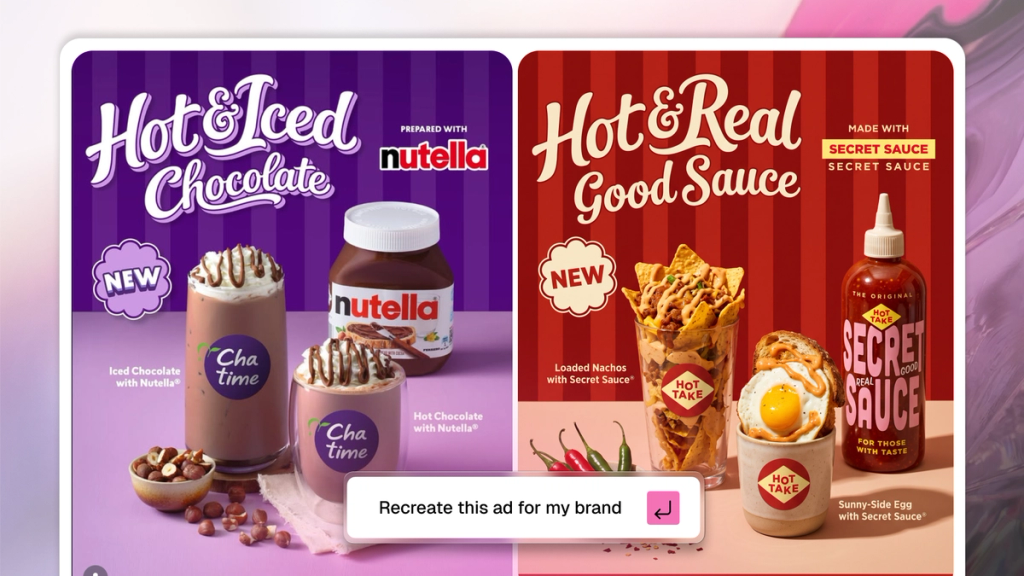
Take a visual style, aesthetic, or ad treatment you've seen somewhere and recreate it with your own product and brand.
Upload a reference image, tag your product, and SecretSauce recreates the look with your brand swapped in.
When to use it
Use this when you've found something that works - a competitor's ad, a trending visual style, a campaign you admire - and want to apply that treatment to your own brand.
It's also useful for maintaining a consistent visual style across a campaign by using a strong first asset as the reference for everything that follows.
How it works
- Tap New Session in the left menu.
- Tap Skills in the right menu and find /adReplicator to get started. Or ask the chat to recreate an ad.
- Upload the reference image and tag your product.
- Describe anything specific you want to keep or change from the original - the composition, the mood, the color treatment.
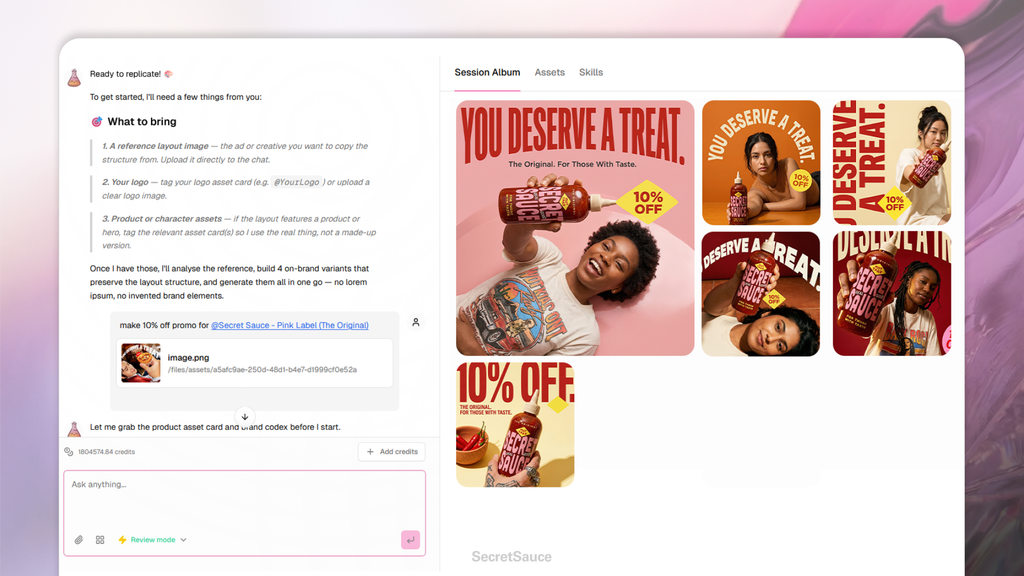
SecretSauce recreates the aesthetic with your product and brand identity in place of the original.
Examples:
- "Recreate this ad style for @[product]"
- "Apply this visual treatment to @[product] for Instagram"
- "Match the mood and composition of this reference but use @[product]"
- "Recreate this flat lay style with @[product] and keep the color palette"
- "Apply this editorial treatment to @[product] for a hero image"
- "Use this as a reference for the lighting and recreate it with @[product] in a similar setting"