Quickstart
Create your account and generate your first piece of content in under 5 minutes
Step 1. Create your account
Go to app.trysecretsauce.ai and sign up. It's free to get started.
Step 2. Create your Brand Brain
Your Brand Brain permanently stores your visual identity, voice, and values so you never have to explain your brand again. Every image, ad, and video you generate comes out on-brand automatically.
To start, add your website during onboarding. Once you’ve landed in the platform, you’ll see on the homepage which parts of the Brand Brain are missing. Be sure to fill them all out.
At any time, you can tap My Brand on the left menu to add more information to your Brand Brain. Learn more here.
Step 3: Make your Asset Cards
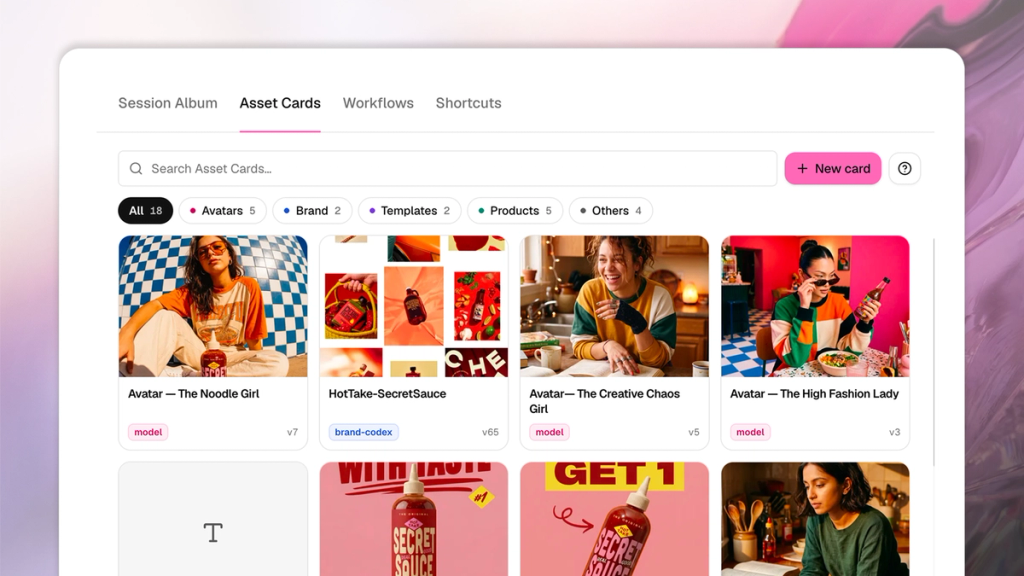
An asset card is a saved reference for anything that appears in your content again and again - like your products, logo, avatars, or even the backdrop you always shoot in.
Using an asset card basically locks the asset, so it stays accurate every time you use it and you don't have to keep uploading or describing it.
On the left menu, tap My Brand. There you’ll be able to add, edit, and delete asset cards.
Once you’ve created them, you can reference any asset in any prompt using the @ symbol.
Asset cards include:
- Avatars
- Products
- Fonts
- Design styles
- Content templates
- … and more
Step 4. Create your first piece of content
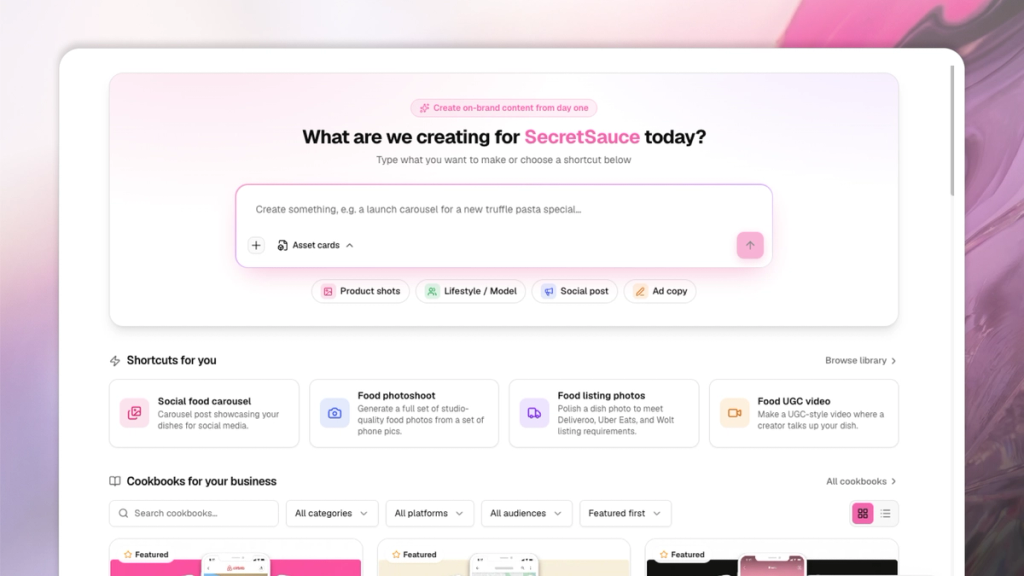
Once you complete onboarding, you’ll land on your homepage. You have 2 ways to start creating:
- Start from scratch: Start typing in the prompt box on your home page and tell SecretSauce what you want to make. You don't need to describe your brand - it already knows. Just describe the content. Get tips on how to write a good prompt.
- Use a shortcut (fastest): Shortcuts are pre-written prompts for the content you'll make most often like product shots, UGC videos, weekly social posts, launch kits, ad clones. Choose one of the highlighted Shortcuts on the home page or open the Shortcuts Library. Pick one that matches what you want to make, and SecretSauce takes it from there. No prompt writing required. Just tap and go.
A few things to try:
- "Create a product shot of [product] for Instagram"
- "Make a UGC video for [campaign]"
- "Generate 5 variations of a social post for [launch/product/moment]"
Get more 100+ ideas on what you can create.
Step 5. Refine and iterate
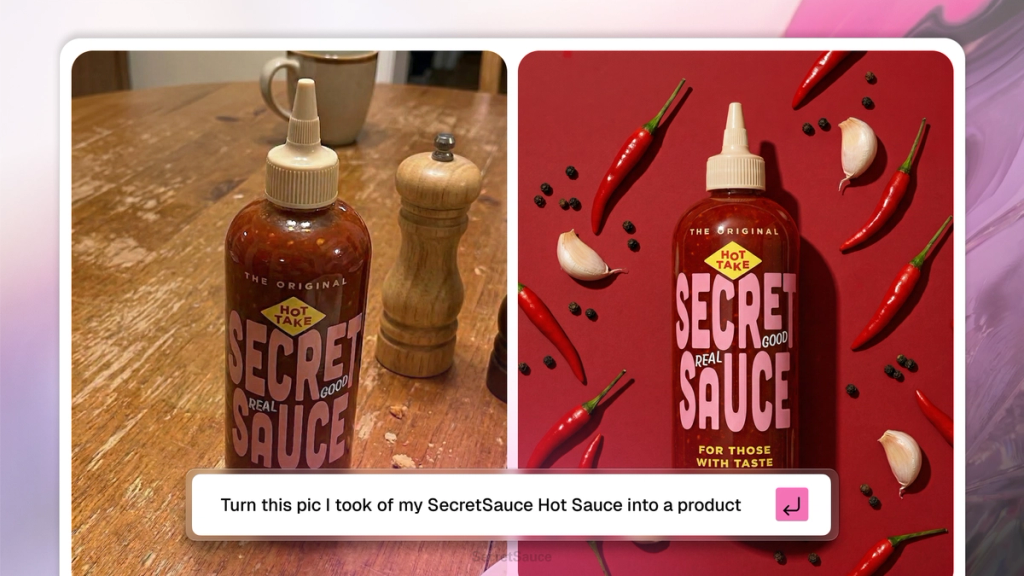
Not quite right? Just say so. Tell SecretSauce what to change and it'll iterate and remember for next time.
Follow these tips for getting the best results on SecretSauce.
Step 6. Publish
Download your content and post them wherever you need them. Soon you'll be able to publish directly to your social channels from SecretSauce without leaving the platform.
That is it! You’re up and running with an AI tool that just works.
Step 7. Explore the platform
Once you're comfortable, poke around the left menu and your homepage. There's a lot more in there.
- Creative Radar tracks trending content and tells you what to create next.
- Video Studio and Image Studio give you dedicated spaces for quick work.
- Social Planner creates social media content automatically for you and publishes them directly to your account.
Every feature has its own docs page when you want to go deep. Follow our What’s New page to stay updated on our latest features.