What’s new
Keep up with the latest releases, improvements, and fixes.
Introducing My Brand: Easily manage your Brand Brain
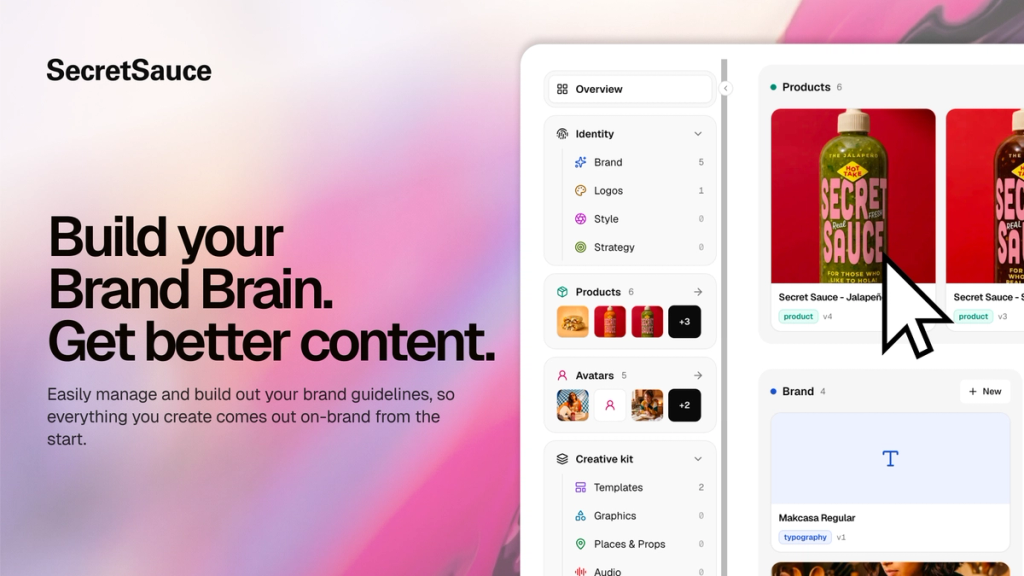
Your Brand Brain is the most important part of SecretSauce. It's the living guidelines that tell SecretSauce how to use your brand: which logo to use when, how your products are shown, who appears in your content, how you sound, and what you never do.
Until now you could only edit your Brand Brain in the chat.
Now, you can access your Brand Brain on the My Brand page in the left menu. See how much of your Brand Brain is completed and fill in the missing parts: logo, products, typography, and more. The more you fill in, the better your content.
Introducing Rewards: Earn free credits for using SecretSauce
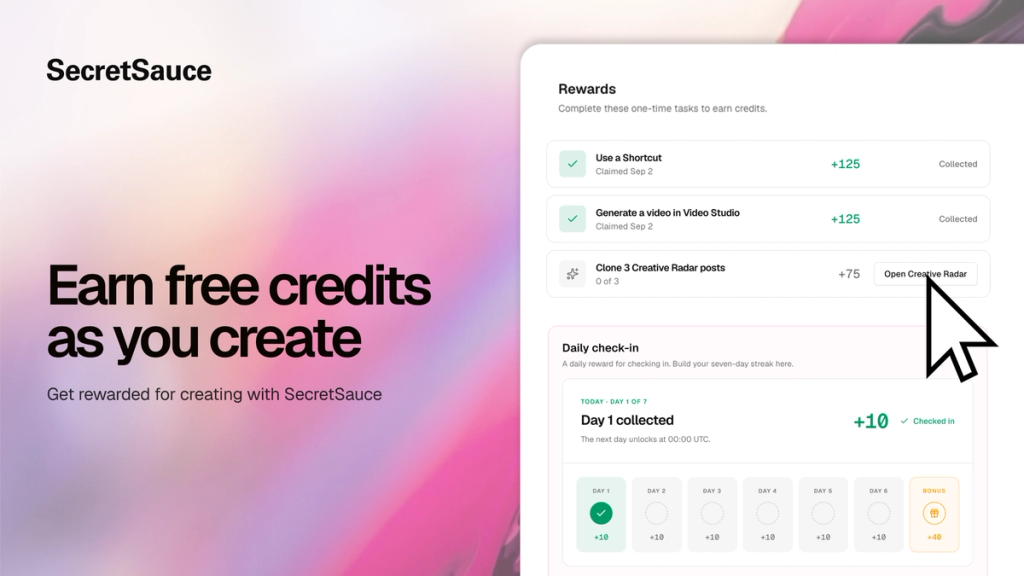
Get more SecretSauce credits without paying more.
Rewards pay you free credits for logging in and trying SecretSauce features, so you can keep creating without eating into your plan's allowance.
Log in every day to collect free credits, and log in 7 days in a row for a bigger bonus on top.
You'll also earn credits for completing tasks: bringing other people in by referring friends or joining the WhatsApp community, and trying different parts of the platform like using a Shortcut, making a video in Video Studio, or cloning Creative Radar posts.
Rewards are available to paid subscribers. More ways to earn are coming soon.
Introducing Social Planner: Plan and post a full week of Instagram content
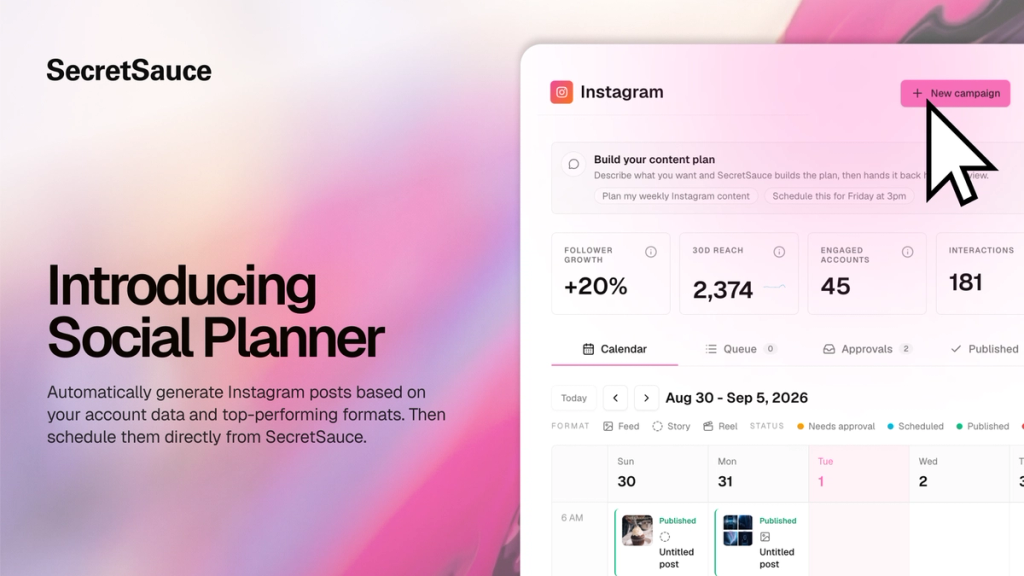
Staying consistent on Instagram means knowing what to post, making it, and getting it up. That's 3 separate jobs, usually across 3 tools, and by Wednesday the week has fallen apart.
Social Planner is the whole loop in one place. It analyzes your live Instagram account, builds a 7-day plan around what's already working (formats, hooks, hashtags, top posts), generates every post in your brand voice, and schedules them directly to your feed. Once posts go live, real performance data feeds back into next week's plan.
Every post lands in your calendar as a draft. Review, edit, approve or push it back to keep working on it. Nothing goes out without your green light.
Social Planner is currently in early access. Instagram is the first platform supported with more coming soon.
Intelligently resize images in 1 click
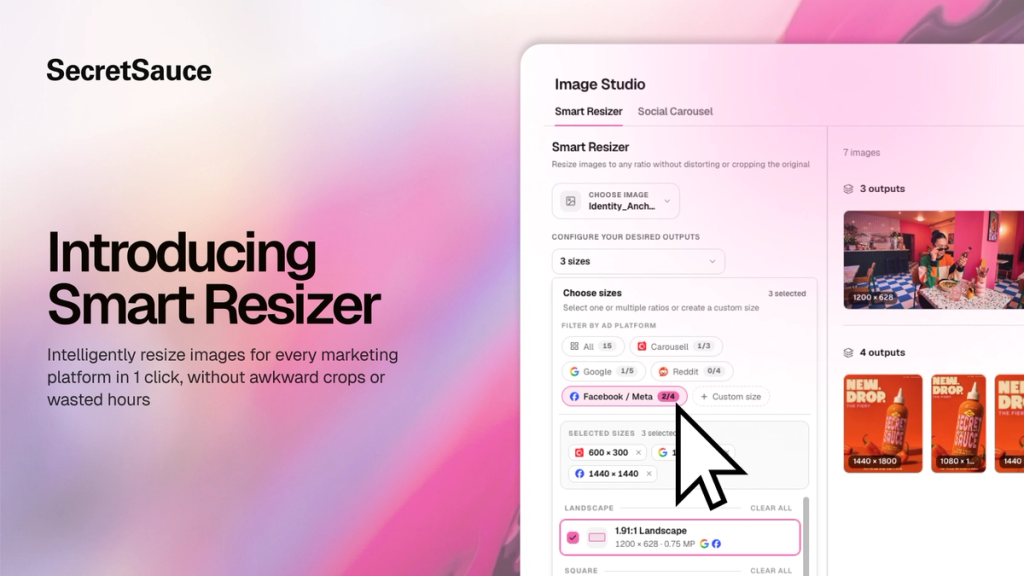
Resizing the same image ad for Meta, Instagram, LinkedIn, TikTok, and Google takes hours that could go toward testing a new angle.
Smart Resizer generates every size automatically in one tap. Upload an image, pick your platform presets or enter custom dimensions, and get a full set of resized ads ready to publish.
SecretSauce keeps the composition intact so your subject stays centered and nothing gets cropped or distorted.
Introducing Video Studio: The fastest path to on-brand video
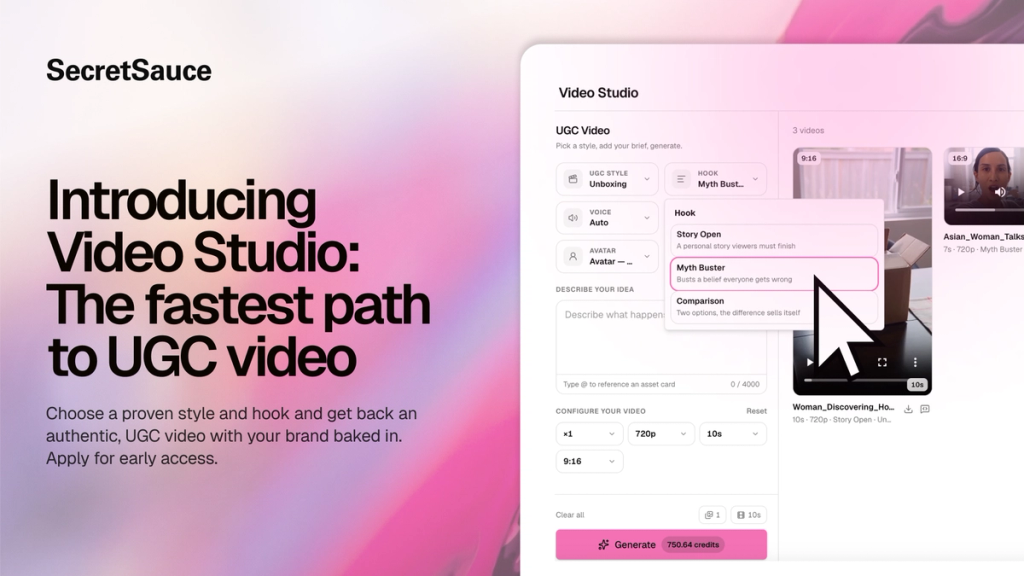
Video Studio is the fastest way to make an on-brand video in SecretSauce. Instead of describing everything in the AI chat, and hoping the output matches what you had in your head, you choose from a library of proven video styles and hooks upfront.
Every video is generated through your Brand Brain, so your product, visual identity, tone, and audience context are automatically loaded. You get a video that looks like your brand made it, not like you picked a generic template.
Video Studio is currently in early access. Apply here to get in.
Video Studio currently supports UGC video. More formats are coming soon.
Go from zero to content in one click with Shortcuts
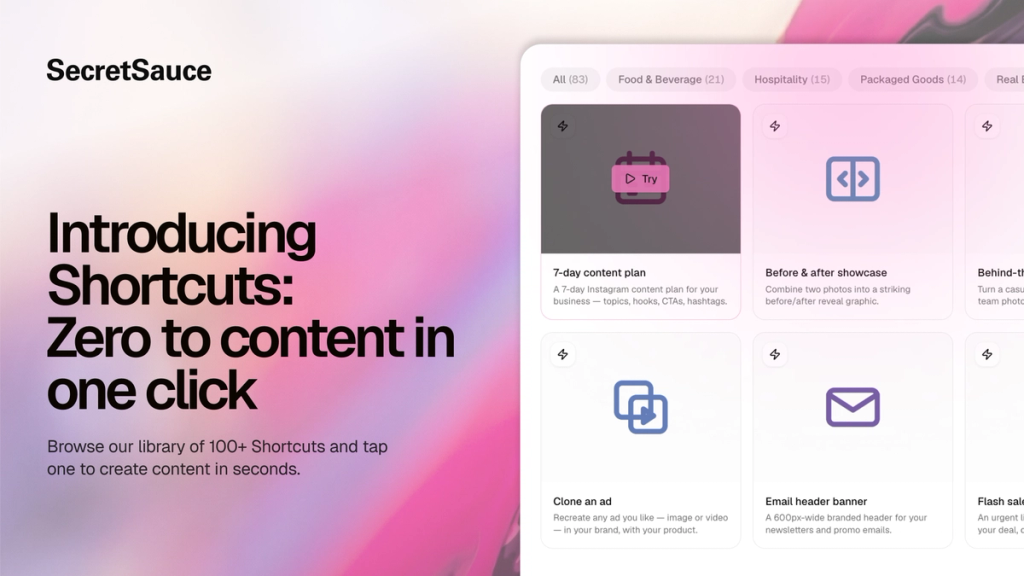
We just added 80+ Shortcuts to SecretSauce. Shortcuts are ready-made prompts that make it easy to create content in just one tap.
Every Shortcut is organized by industry, so you can quickly find ideas for content your business should be creating:
- A café can tap "Daily special story" and have an Instagram story ready in seconds
- A real estate agent can tap "Just Listed post" and get a branded announcement straight away.
- You get the picture.
Find Shorcuts in the left menu of SecretSauce.
Spy on your competitors' best ads. Clone the winners.
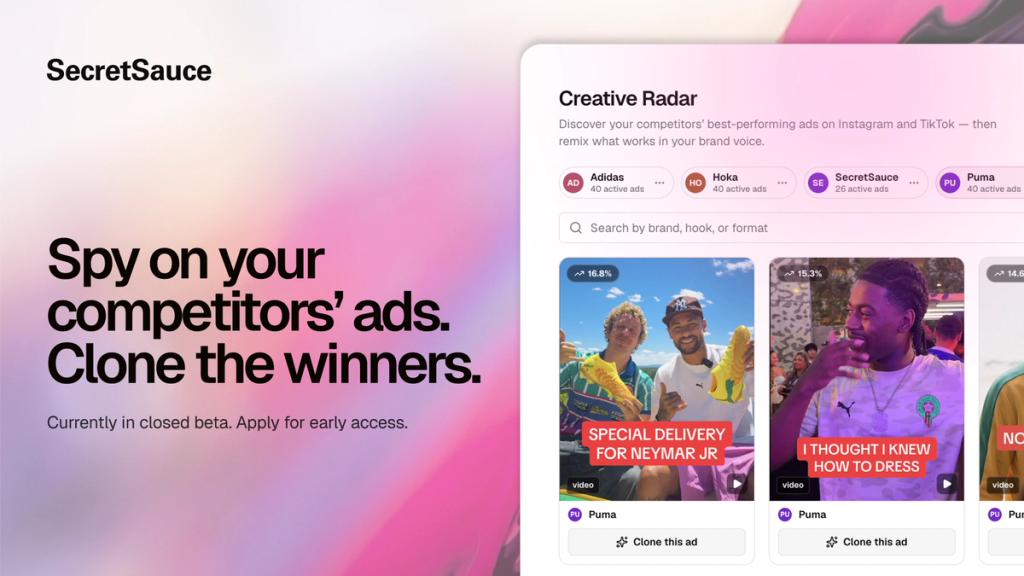
Spy on your competitors' winning ads. Then clone them in one click.
Creative Radar is a live feed of the best-performing Instagram ads in your category. Every ad is automatically analyzed for what makes it win: hook, composition, tone, format, color palette, and more.
When you find one worth stealing, just tap Clone. SecretSauce automatically remixes the ad with your brand and product in place.
Currently available in closed beta. Apply here to get early access.
Refer friends to earn FREE SecretSauce credits
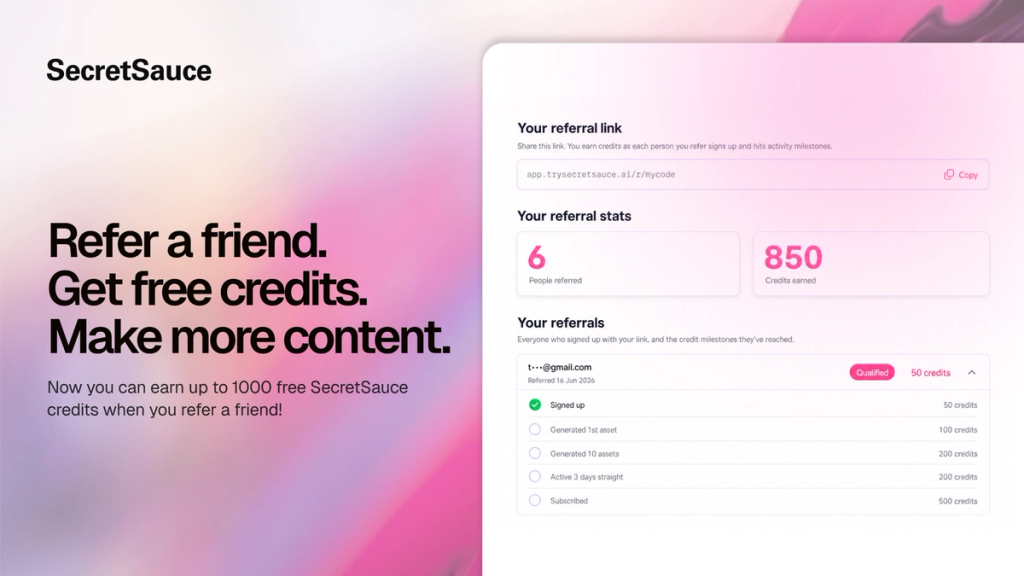
Refer a friend and earn up 1,000 FREE credits with SecretSauce’s new Referral Program!
Your friends get 50 free credits just for signing up through your link. And every time they use SecretSauce, you earn too:
⭐ 100 credits when they generate their first asset
⭐ 200 credits when they generate 10 assets
⭐ 200 credits when they generate 3 days in a row
⭐ 500 credits when they subscribe
Go to Settings > Referrals to get your unique link and start earning today.
SecretSauce is now on mobile (+2 new video formats)
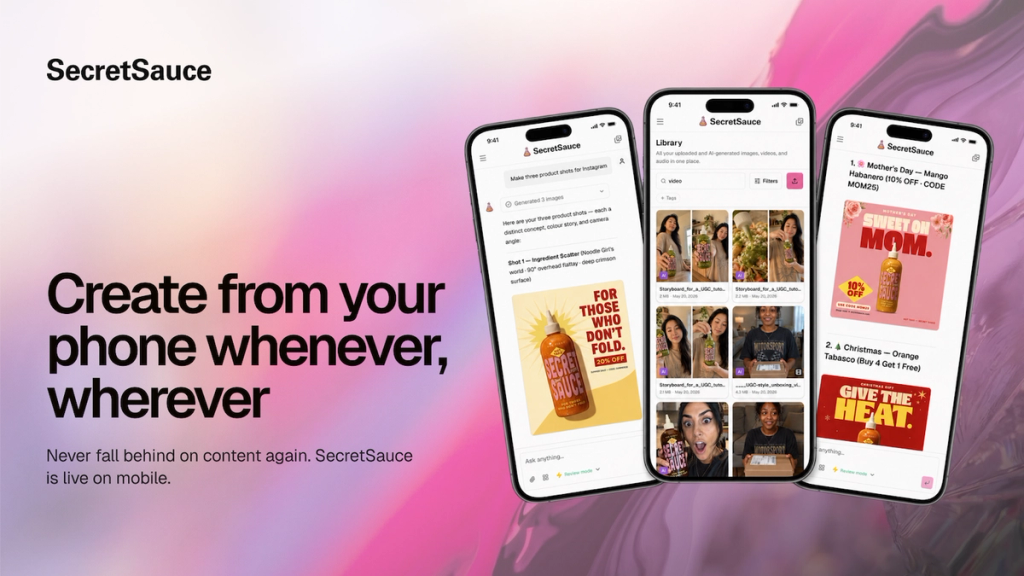
Never fall behind on content. Create from your phone whenever you have a few minutes.
SecretSauce is now available on mobile. Same features, same Brand Brain so you don't need to block out time at your laptop anymore.
Plus, two new video formats you can create:
Video Ad: Scripted commercials in minutes. Describe what you're selling and get a finished ad.
Story Video: Cinematic short films with consistent characters and locations. Ask for concept or a storyboard and it builds the whole thing.
Fix your SEO and get on-brand rewrites to copy/paste
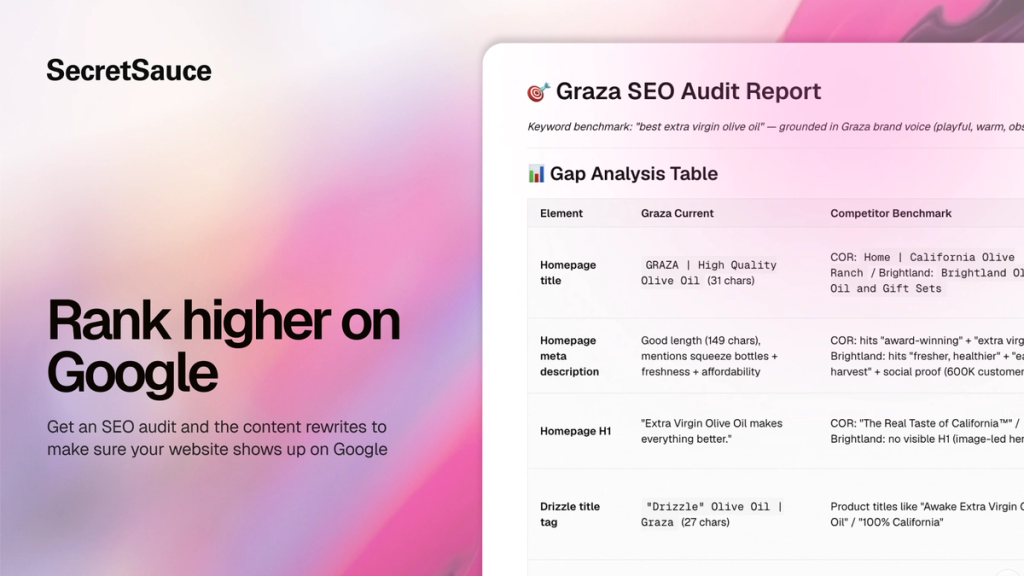
Getting your website to rank high on Google is one of the best ways to drive sales without paying for ads.
SecretSauce now analyzes your website for SEO and writes the fixes for you - all in your brand voice. No SEO background needed. Just copy/paste the fixes.
You get:
- Quick wins: Updated page titles, meta descriptions, and internal links with the exact text to use
- Content gaps: A list of topics your audience is searching for that you haven't written about yet, with suggested content in your brand voice
- Structural improvements: Technical issues explained in plain terms so you can easily fix them yourself
Generate 7 days of Instagram posts in one session
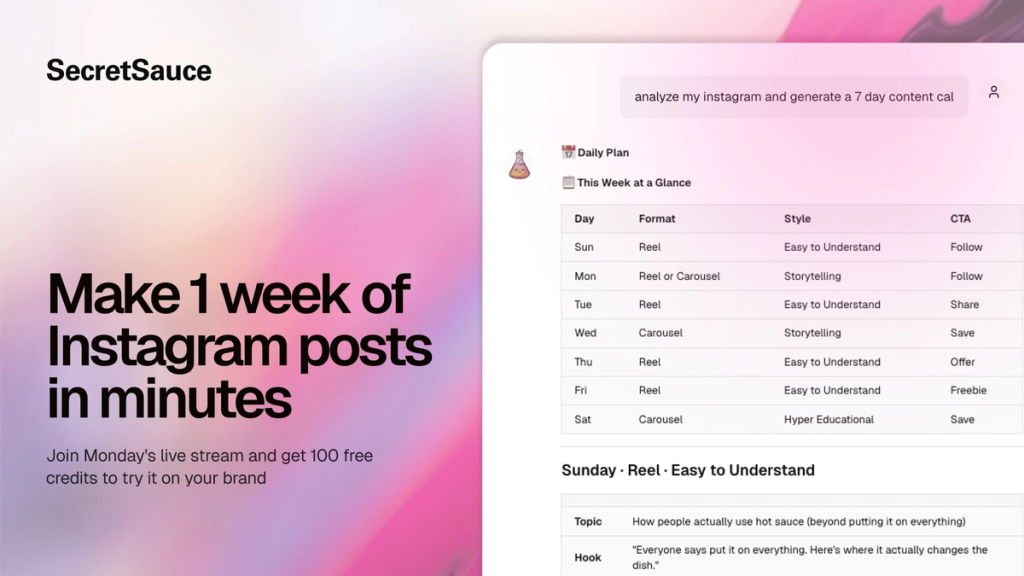
3 new features that work together so you can go from a blank content calendar to a full week of Instagram posts without leaving SecretSauce:
- Plan your Instagram week: SecretSauce analyzes your Instagram account and generates a 7-day content plan - formats, hooks, captions, and hashtags - calibrated to your goals and built from what's already working on your page.
- Copywriting: Generate captions, ad copy, product descriptions, emails, and more in your brand voice. No generic AI-isms.
- New UGC video formats: We improved our UGC video feature. SecretSauce picks the best video format for your product - review, unboxing, tutorial, try-on, etc - then scripts it around proven written and visual hooks designed to stop the scroll.
Join the livestream on Monday to see these new features in action. We’re giving 100 free credits to everyone who shows up!
Turn photos into a voiceover B-roll reel
B-roll Reels are one of the best-performing formats on Instagram and TikTok right now. They hold attention longer than static posts and let you showcase your product while you narrate. The problem has always been making them consistently: scripting, recording, selecting clips, syncing everything, and editing takes an hour to produce 30 seconds of content.
Now just upload a few photos, and SecretSauce scripts a narrated story around them, animates each image into a video clip, adds a voiceover in your cloned voice, and stitches everything into a finished reel.
Done it in minutes, from photos you already have.
Get $10 of free credits or 25% off this Mother's Day
This week, we're celebrating all the mums in our community building brands while raising a family. We see you. And we're inviting everyone in our community to celebrate with us. Here’s how:
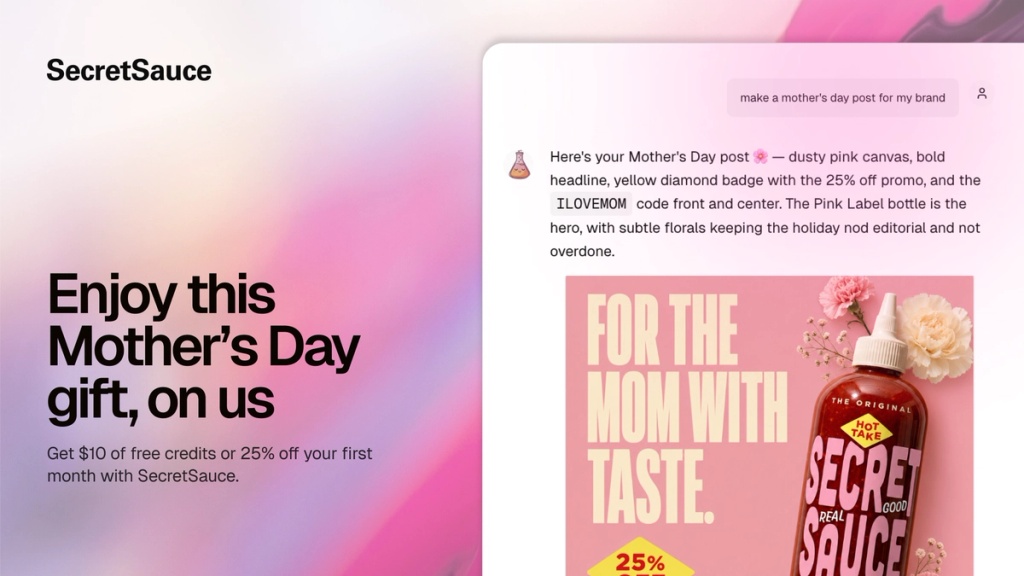
1. Post and earn $10 of free credits
- Make a Mother’s Day post in SecretSauce. Just tap New Session > Skills > SeasonalPost to create a Mother’s Day post in seconds. Perfect as a Mother's Day promo for your business. Mompreneurs, you can also create a custom post or video celebrating the brand you're building and the family you're building it alongside.
- Share it on social media
- Tag @trysecretsauce.ai on Instagram or TikTok
That’s it! We’ll grant you $10 worth of credits (800 credits).
Plus, our favorite posts get featured in our Mother's Day wrap-up - free promo for your business in front of our entire community.
2. Grab 25% off any plan
If you've been thinking about upgrading to get more credits and access to the best features, now's the time.
Get 25% off any plan with the coupon code ILOVEMOM between May 6-13.
To redeem the coupon, tap your name on the bottom left of the platform > Settings > Billing > Choose plan > Add promotion code.
Happy Mother’s Day!
Clone your voice, sync lips to new audio, and cut pauses
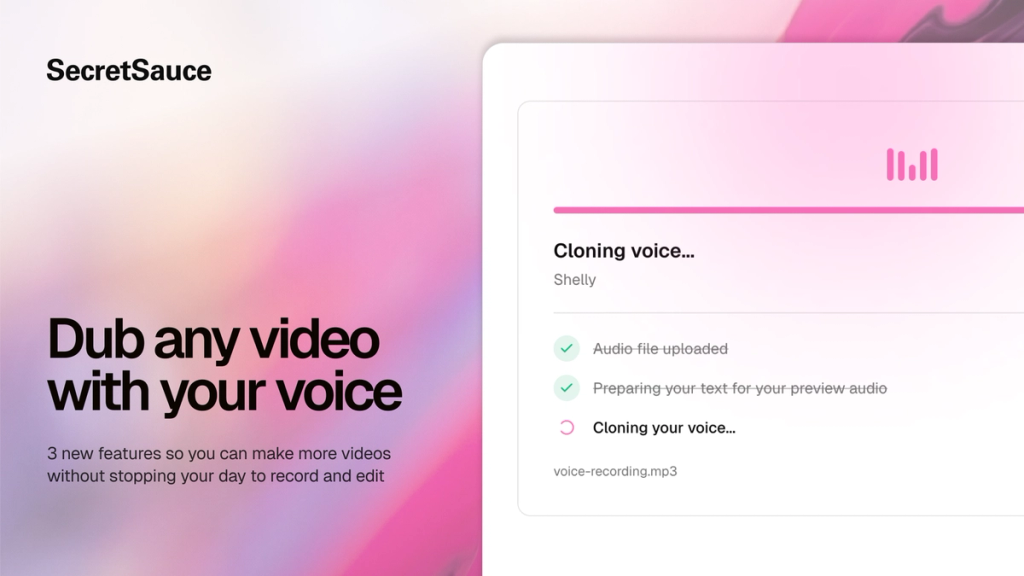
3 new ways to make videos without recording again:
- Voice Clone: Record a voice sample then generate text-to-speech AI voiceovers for any video. Tap Voice Studio in the Brand Hub to get started. Available for Pro plans.
- Lip Sync: Upload a talking-head video and a new audio track, and SecretSauce adjusts the mouth movements to match. So dubbed or re-voiced videos look natural, not uncanny.
- SilentCut: Strip dead air from your videos automatically. No more scrubbing through a timeline to cut pauses and ums.
Automatically resize ads for Facebook and Reddit
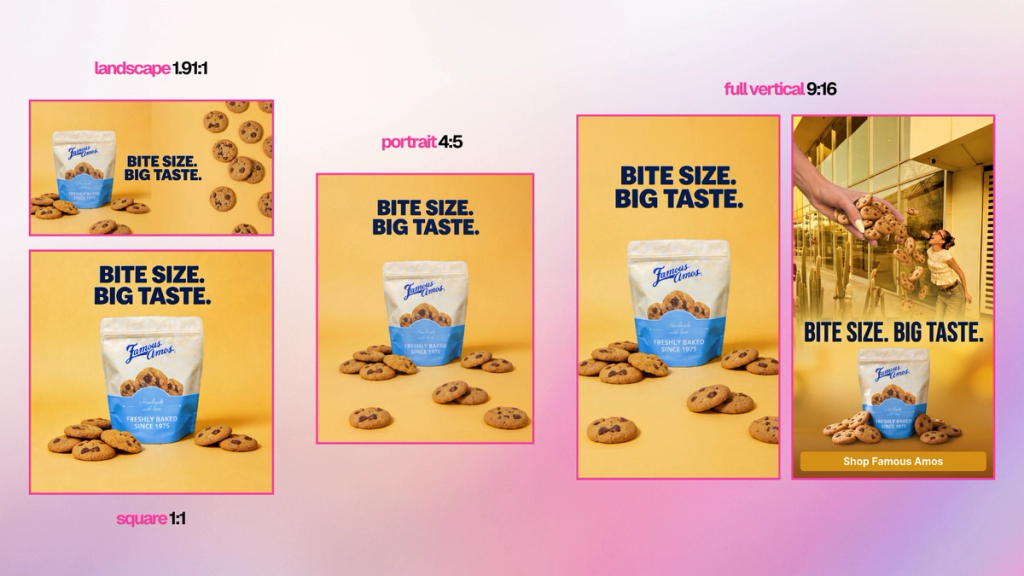
Ad Resizer now supports Facebook and Reddit, on top of the existing Google Ads formats.
Create or upload 1 approved visual and get back brand-safe ad creatives across every format for all 3 platforms.
SecretSauce intelligently rebuilds the creative for every size, extending backgrounds and repositioning elements so your ads look polished, not cropped.
Currently available to enterprise customers. Get in touch to access.
Resize 1 key visual into every Google Ads format
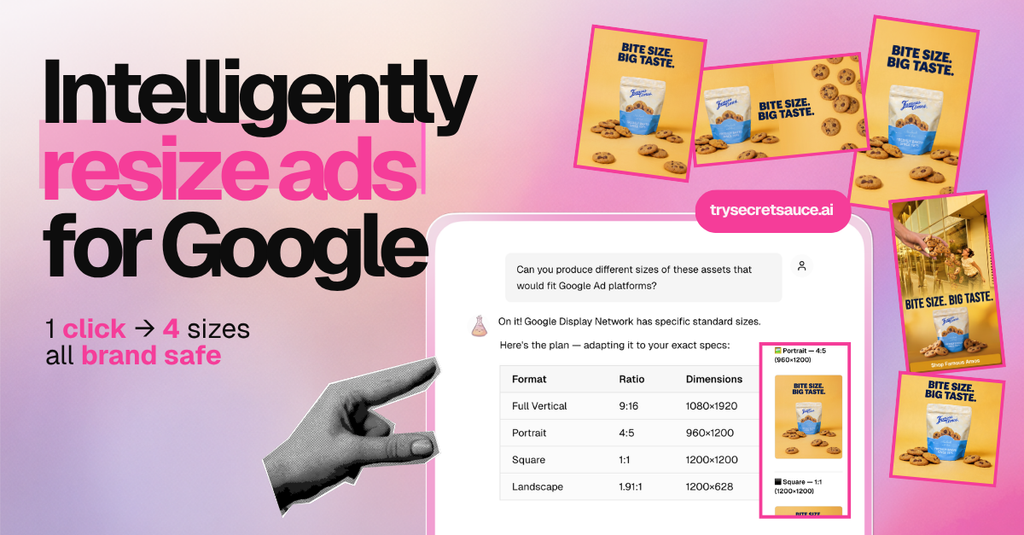
Upload 1 approved campaign visual and get back 4 brand-safe Google Ads formats.
SecretSauce rebuilds the creative at every size - extending backgrounds and repositioning elements - so your ads looks polished across every format.
Currently available to enterprise customers. Get in touch to access.
Sharper, more detailed images - powered by Seedream 5
Image generation on SecretSauce is now powered by Seedream 5, ByteDance's latest model.
The upgrade brings noticeably better prompt understanding, sharper textures, improved lighting, and up to 4K resolution output.
You'll see the difference most in product shots, lifestyle images, and anything with fine detail.
No changes to how you work, just better results.
Seedance 2 is live on SecretSauce
We've upgraded the video model powering SecretSauce to Seedance 2. You'll notice:
- Sharper motion and more natural movement
- Better character consistency across shots
- Improved camera control and framing
- Cleaner output on complex scenes
Available by request while we roll it out. Message us to get access.
6 new features for making better videos
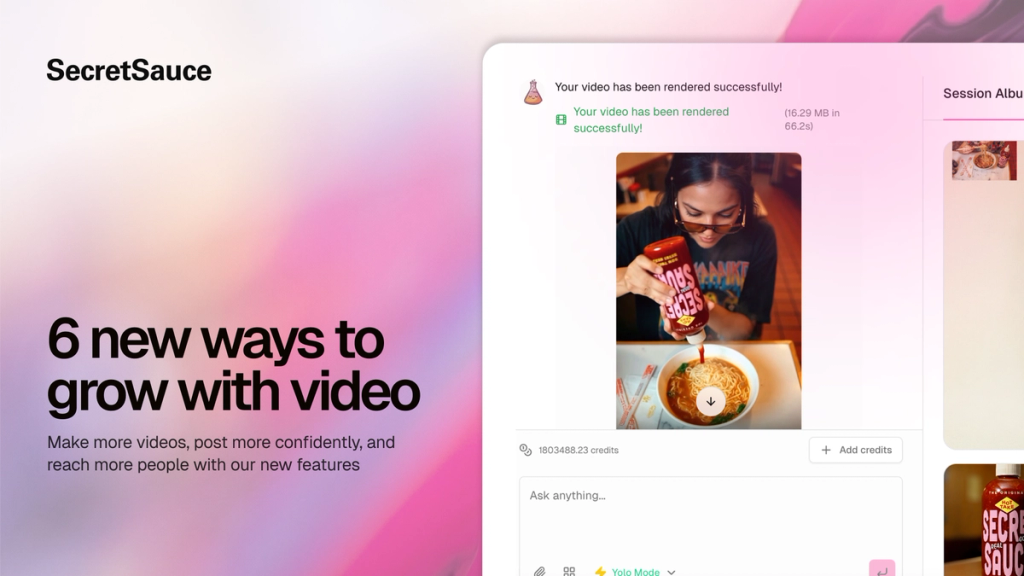
Video is the most powerful way to grow your business right now. We just shipped 6 new ways to make more of it, faster:
- Video replicator: Drop in any reference video and get your version of it, remade for your product and brand. Choose Clone to stay close to the original or Remix to adapt the concept to your brand.
- Social product video: Generate a product video built to hook viewers on social media, strategically scripted around your brand and audience.
- UGC video makeover: Upload a talking head video and change your outfit, hairstyle, lighting, or setting without reshooting.
- Background swap: Change the background on your talking head video to anything you want. No green screen or editing software.
- Automatic subtitles: Add captions to any video automatically and customize style, font, size, position, and color.
- AI flag detection: Post your content without getting flagged as AI on social platforms. We removed the metadata tagging from all exports.
Post without getting flagged as AI
Your SecretSauce content will no longer get flagged as AI-generated on social platforms.
Social platforms automatically tag AI-generated content in the metadata of every export. But they apply the same tag whether you generated a full video from scratch or simply removed a background.
We've removed AI metadata tagging from all SecretSauce exports so you can post without getting flagged.
Automatically add subtitles to any video
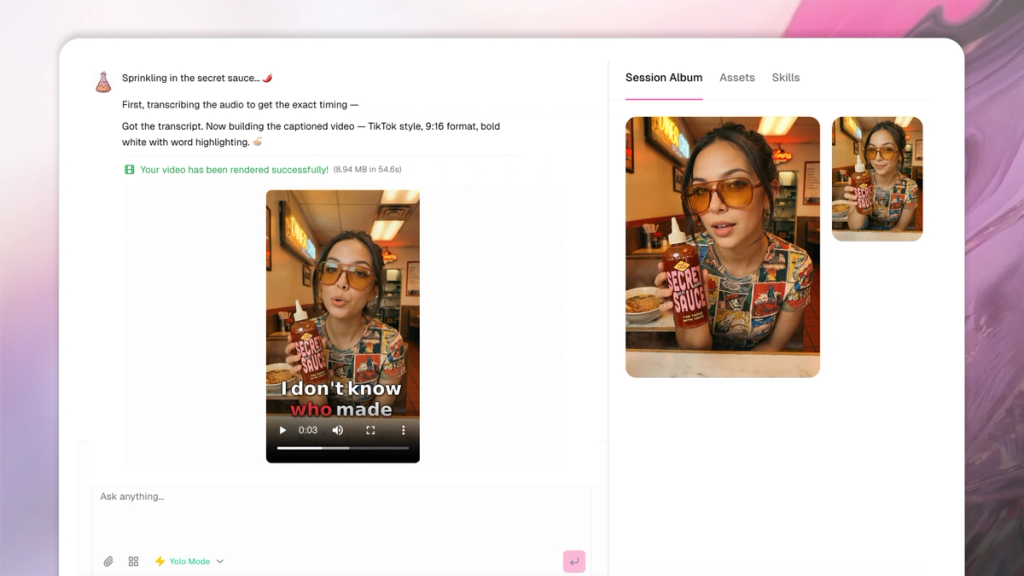
85% of videos are watched without sound. To maximize retention and watch time, subtitles are a must.
Now you can automatically add subtitles to any video in SecretSauce - whether you generated it in the platform or uploaded it from your device.
Ask SecretSauce to caption your video and it will automatically:
- transcribe the audio
- sync captions to the timing
- deliver a final export with subtitles baked in
- provide an SRT file with every export
You can also customize the caption style, size, position, font, color, and emojis - or leave it to SecretSauce to choose.
Learn more about Subtitles in Video.
Generate video with SecretSauce
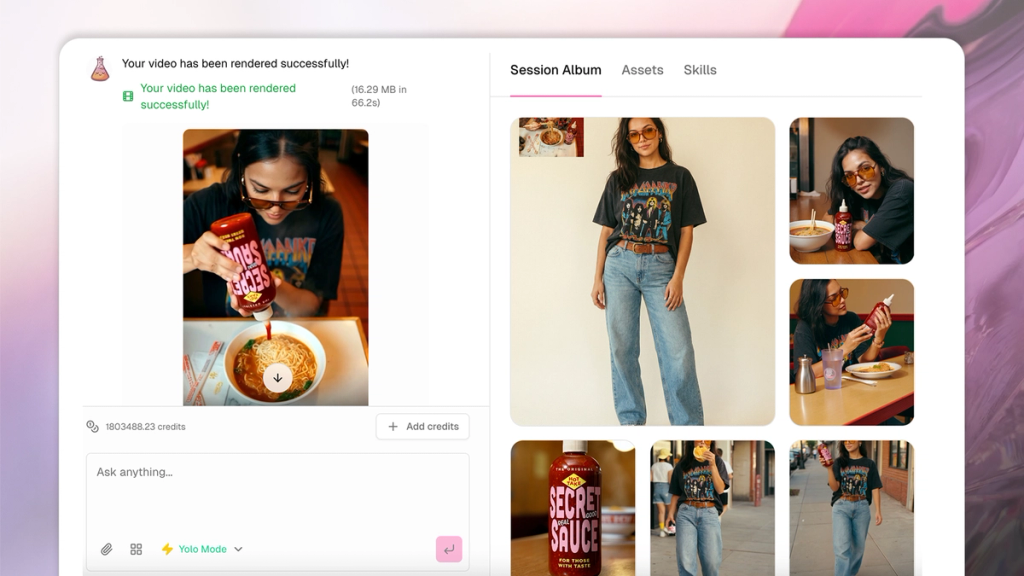
Video is here. You can now generate multiple video formats directly from SecretSauce - no camera, no crew, no shoot required:
- UGC talking head: generate a creator-style video of an avatar speaking directly to camera. Works best for testimonials, reviews, and paid social ads.
- UGC product presentation: generate a multi-shot, creator-made mini ad with an avatar presenting your product across scenes. Works best for product launches, usage steps, and before and after demos.
- Product video: generate cinematic product footage with no people or voiceover. Just your product, beautifully shot with creative animation, cinematic transitions, and satisfying visual effects.
Every format is built around your Brand Brain, so everything comes out on-brand from the first generation.
Fork any prompt into a new chat
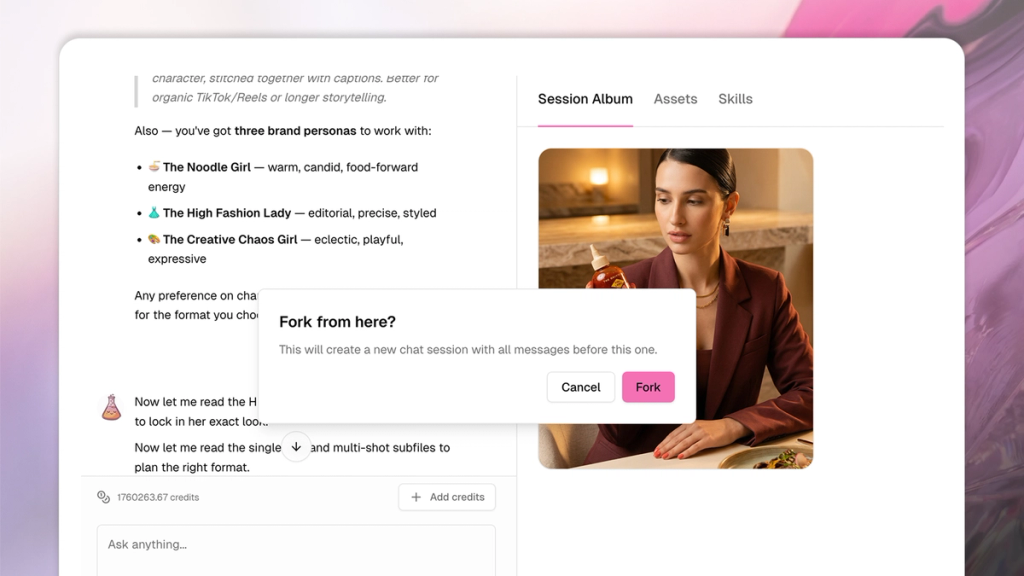
Split any message into a new chat window and keep building both ideas in parallel - with all the context from your original chat carried over.
Use it when you want to A/B two creative approaches before committing to one, need a version of something for a different audience or market without risking what's already working, or want to explore a concept without overwriting a chat you've already built.
Learn how to fork in Tips for better results.
API access for enterprise partners
SecretSauce is available via API. Now enterprise marketing and creative teams can generate on-brand AI content at scale, maintain brand consistency across markets, and batch create - via the tools and workflows they’re already using.
Contact us to learn more.
Share skills with your team
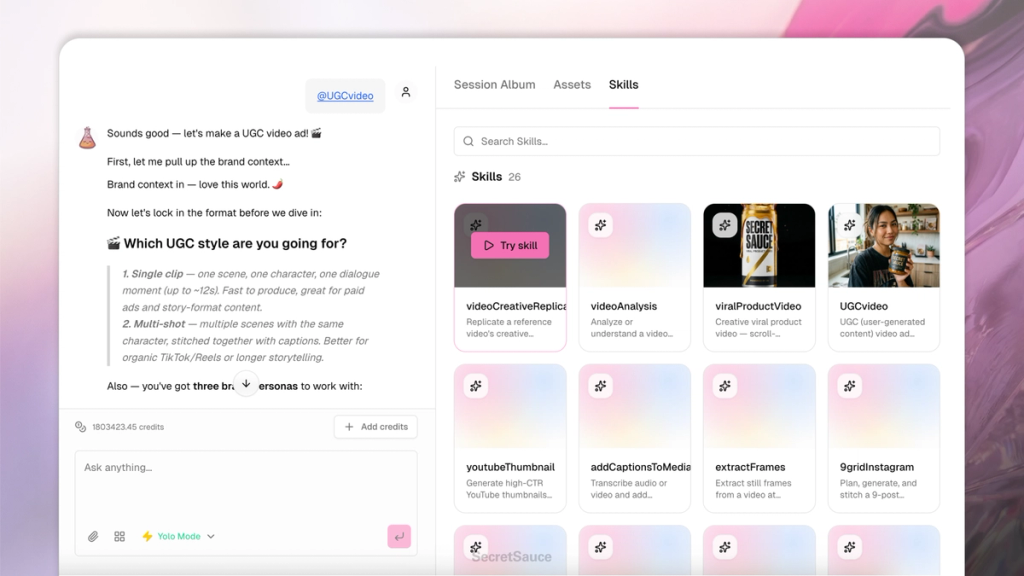
Skills you build in Skill Builder can now be shared with your team. If you've set up a Skill for batch creating ad variations, generating a week of Instagram posts, or exporting product shots in multiple formats, now anyone in your SecretSauce team can trigger it without having to rebuild it themselves.
Edit prompts to regenerate
Now you can edit any chat message you send and SecretSauce will automatically rerun the prompt according to the new direction.
Most useful for when you made a mistake early and don't want to start the whole chat over to fix it.
Learn how to edit in Tips for better results.
Introducing the Changelog
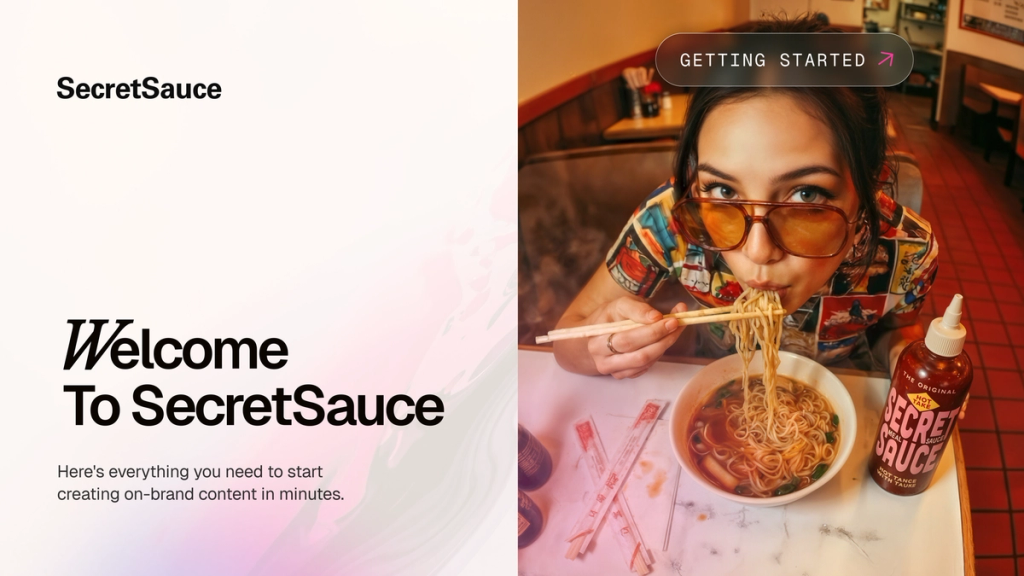
We're excited to launch our changelog! From now on, you'll find all product updates, improvements, and bug fixes right here.
What to expect
Each entry will include a date, descriptive tags, and a detailed summary of what’s new. Stay tuned for more updates.