Set Up Your Menu
Your dish list, prices, and photos all live in Menu. Every piece of content you generate pulls from this one source.
Your dish list, prices, and photos all live here. Every other piece of content (social posts, print menus, delivery listings, dish photos) pulls from this one source, so you only need to keep it accurate in one place.
What's in Menu
You'll find 3 tabs at the top:
- Menus: Your actual menus, grouped by type like Brunch, Dinner, Deliveroo.
- All dishes: Every dish you've added in one list, independent of which menu it sits on. Filter to No photo to see which dishes still need images.
- Your photos: Gallery of every photo SecretSauce has generated for your dishes. It fills in once you generate your first one.
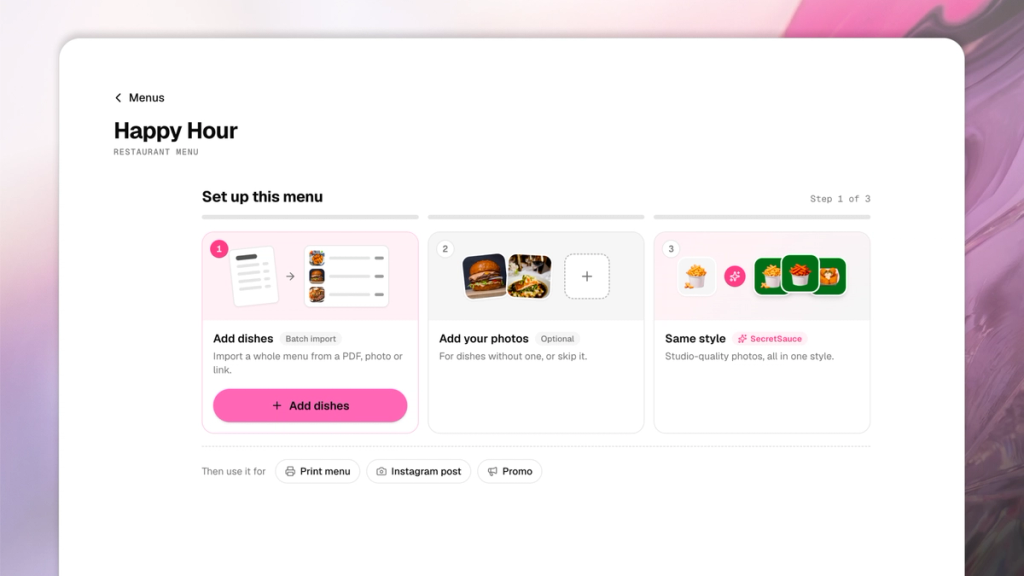
How to create a new menu
- Tap Menu on the left of the SecretSauce platform.
- Tap + New Menu on the top right.
- Choose whether the menu is for your in-person restaurant or a delivery app. Then give it a name.
- Tap Add Dishes to begin setting up the menu. You can upload dishes from a PDF, paste a website link, or add a dish manually. You can also choose from existing dishes you've already saved to SecretSauce.
- Fill in all the dish details like type, name, category, price, weight, allergens, ingredients, and more.
- Make sure to add a photo to each dish. You can either upload one yourself or generate them with SecretSauce. Learn how to generate dish photos with SecretSauce.
- Tap Use this Menu on the top right to generate a printed menu, Instagram post, promo, or export the photos.
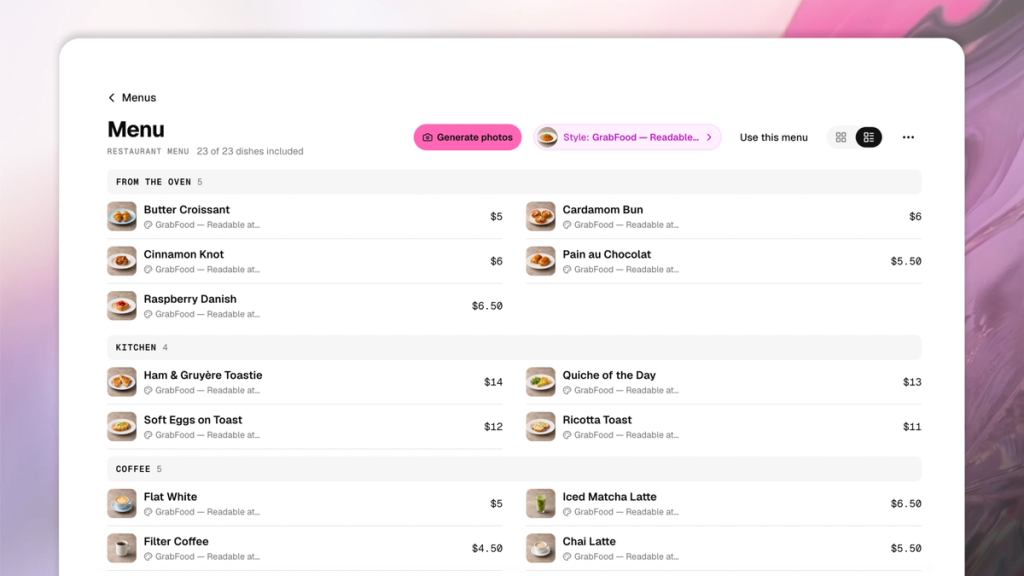
How to edit a menu
- Tap Menu on the left of the SecretSauce platform.
- Tap a menu card to open an existing menu.
- Tap the three dots on the top right to edit the menu.
- Choose Manage to create new categories or edit existing ones. You can also bulk edit dishes here.
- Tap a dish to open its detail panel. Review its description, price, and photo, or tap Edit to change any of it.
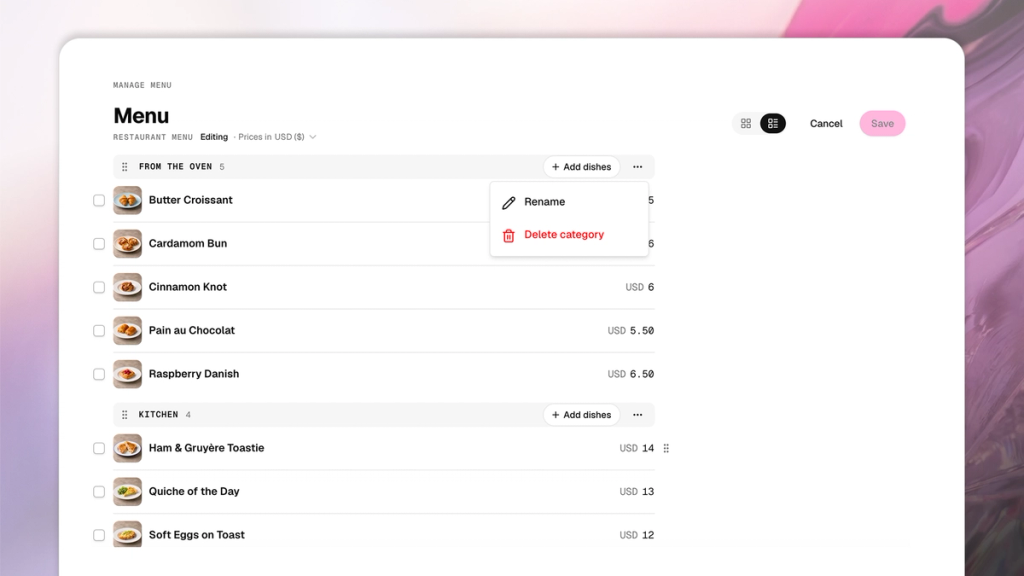
Tips for creating your Menu
- Tap the chat button on the right to open the AI assistant. You can type to the assistant to create or edit anything in your menu.
- Set a photo style once for the whole menu rather than generating photo by photo. It's faster and keeps every dish consistent.
- Check All dishes → No photo before creating content to see exactly what's still missing.
- A dish can sit on more than one menu. Edit it once and it updates everywhere it's used.